

Creating Experiment Templates
Experiment Templates allow you to pre-configure:- Experiment metadata and details
- Traffic allocation
- Targeting rules (saved groups, attributes, and prerequisites)
- Data source with goal, secondary, and guardrail metrics
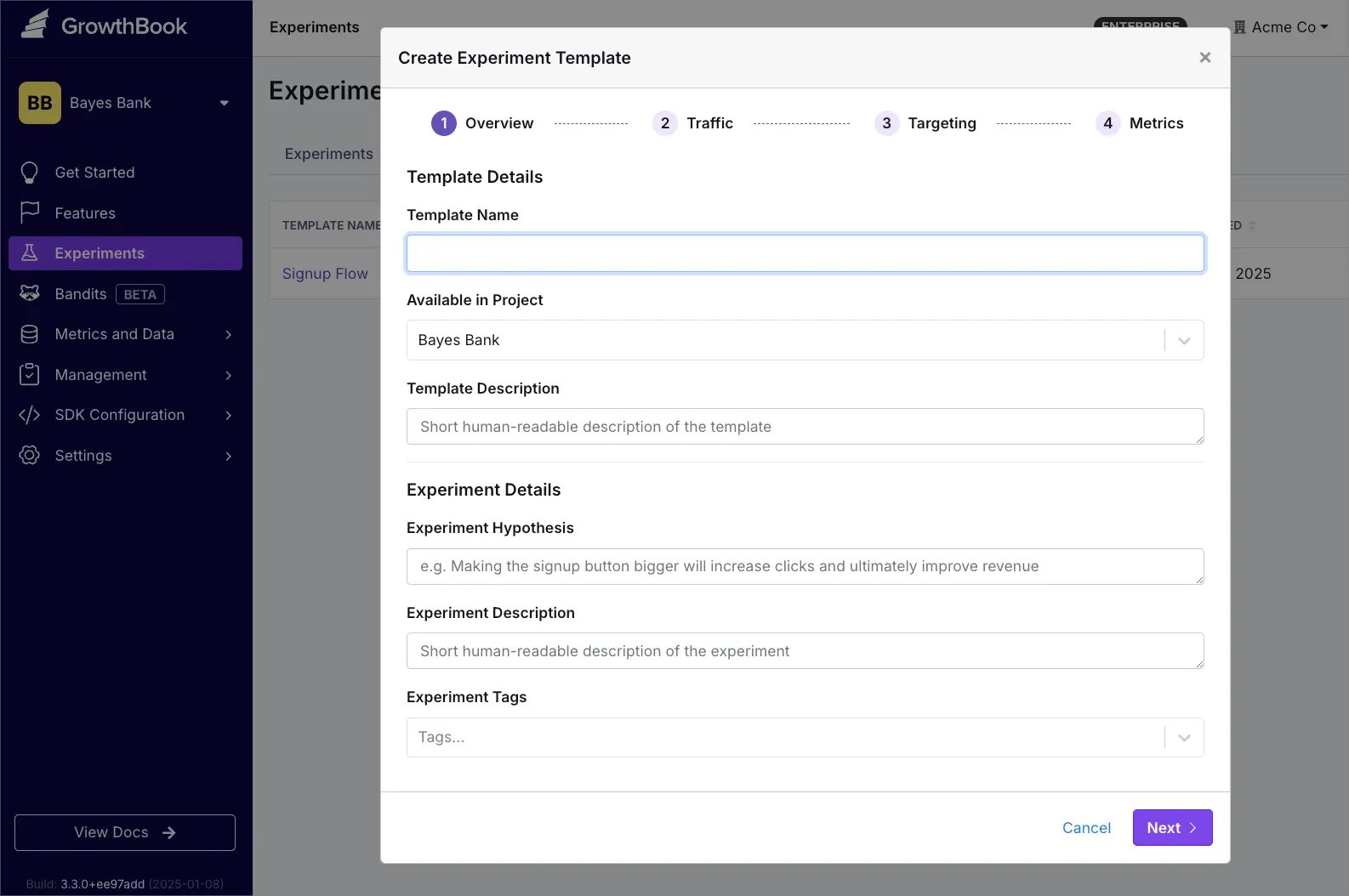
Method 1: Start From Scratch
- Go to Experiments
- Click Add
- Select Create Template
- Configure your template settings
Method 2: Start From an Existing Experiment
- Open the existing experiment
- Click the overflow menu (⋮) in the upper right
- Select Save as template…
- Following the configuration prompts
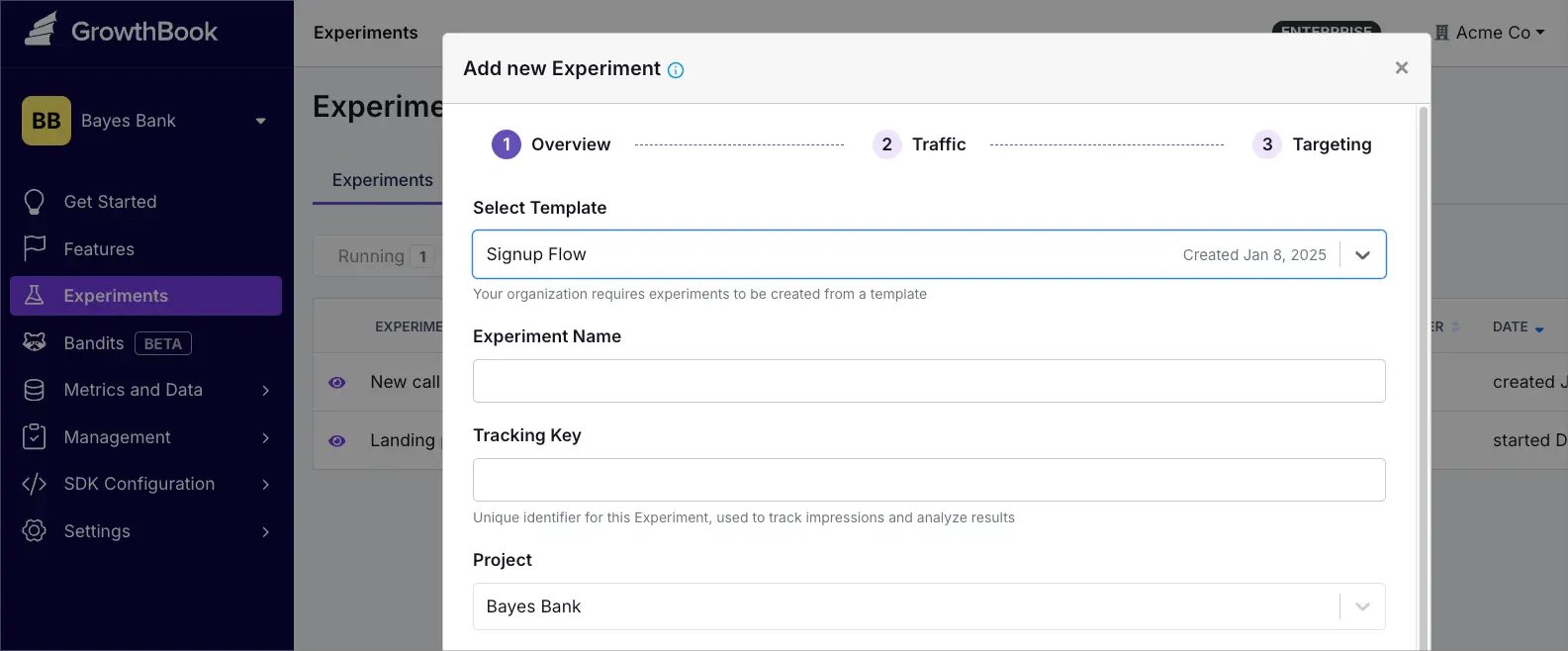
Managing Templates
- To view all templates, go to Experiments → Templates.
- Use the overflow menu (⋮) to edit, duplicate, or delete a template.
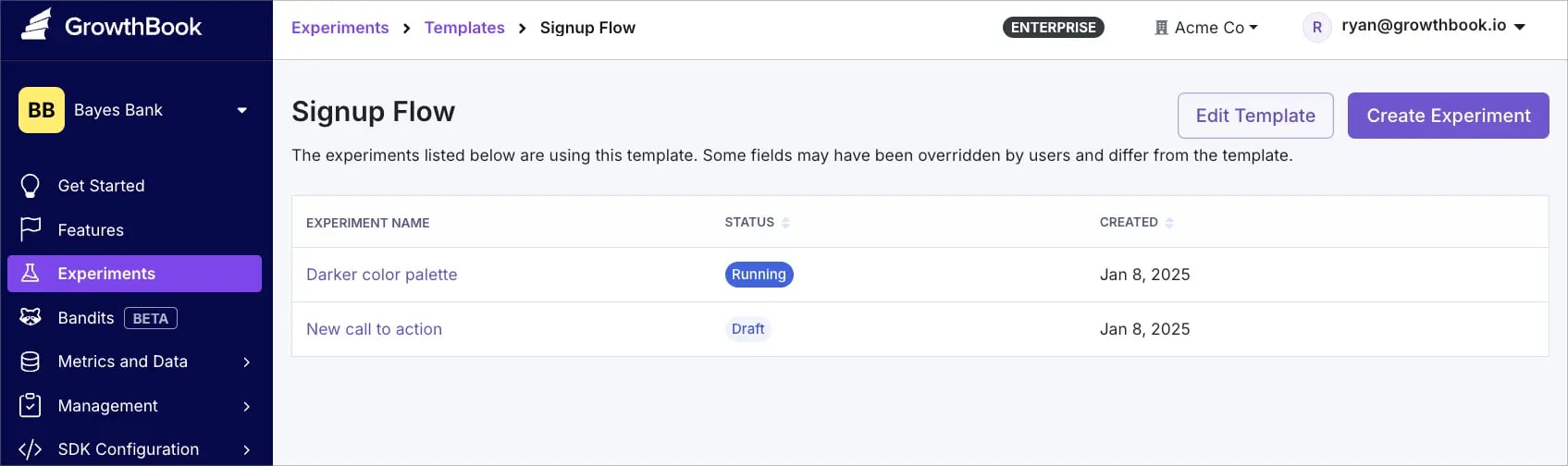
- Click any template name to view a list of all experiments currently using that template.
- Changes to a template only apply to new experiments—existing experiments remain unchanged.
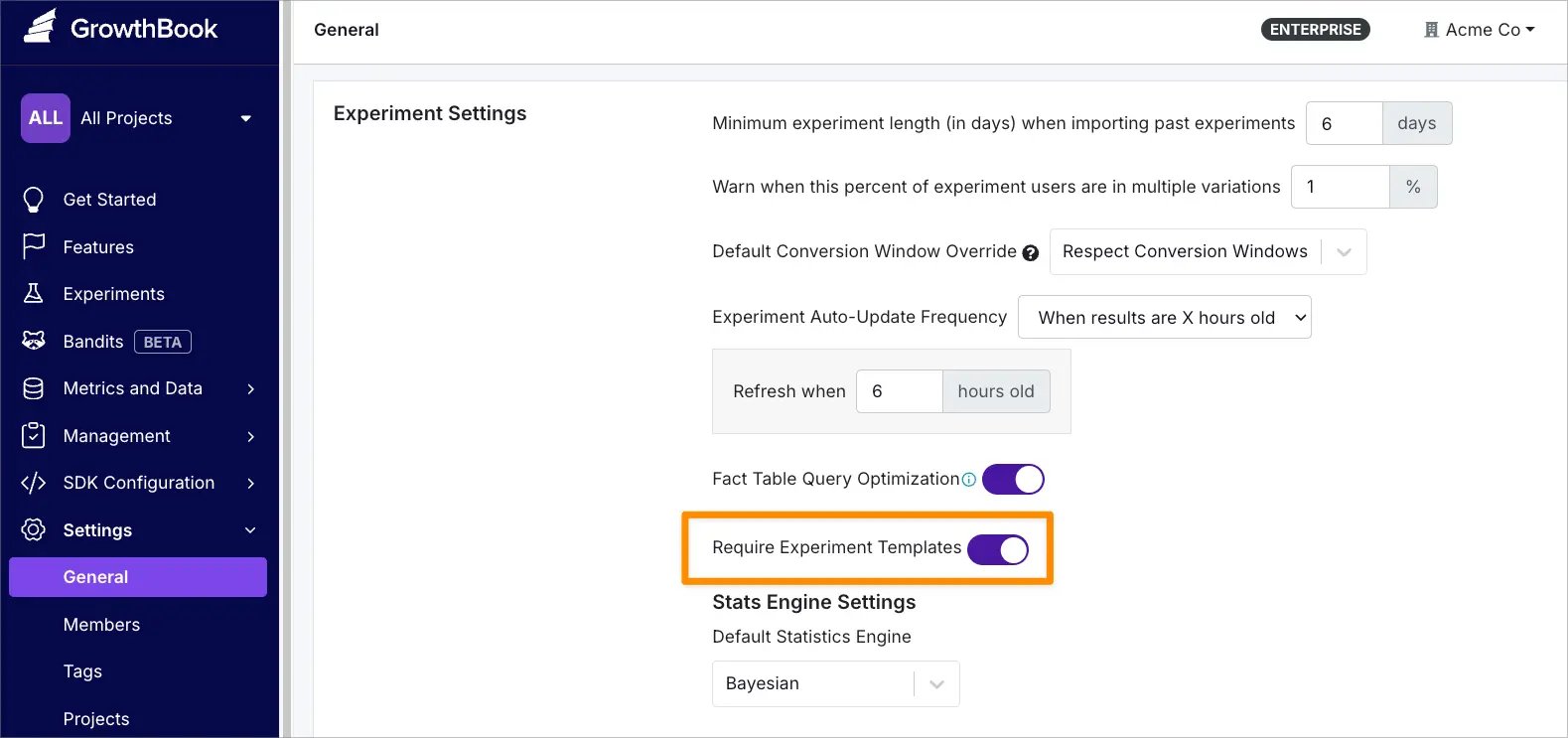
Require Template Usage
To require template usage for all new experiments:- Navigate to Settings → General → Experiment Settings
- Enable Experiment Templates
Support for Bandits Templates coming soon.