

Importing Experiments
When you choose to Import an Existing Experiment, we scan all of the experiment assignment queries for a datasource and present any experiments we have found in those experiment assignment queries.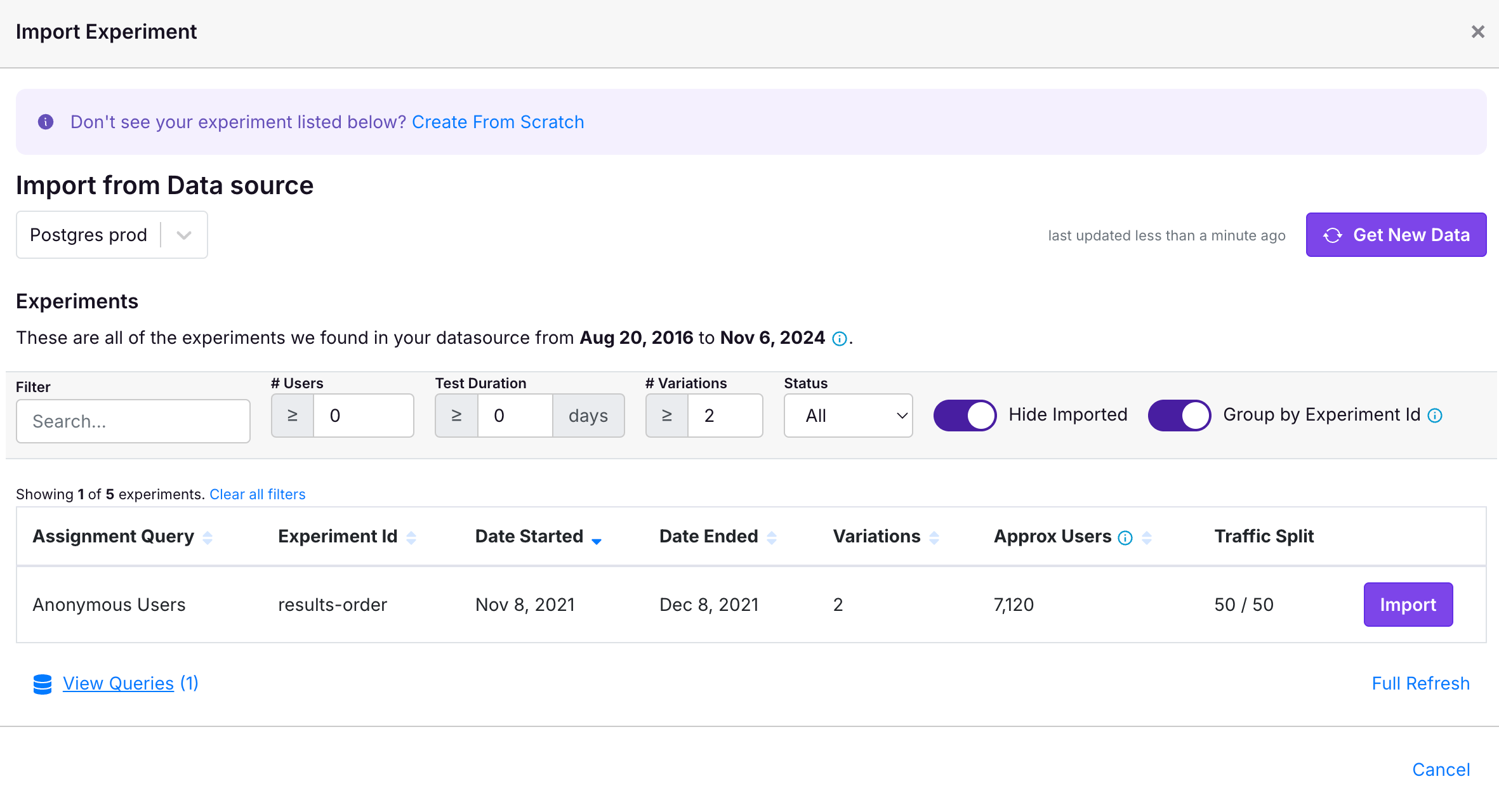
Missing Experiments
If you don’t see your experiment in the import list, there are a few potential explanations:- The experiment was already imported! You can check the experiments page to see if it was imported, or deselect “Hide Imported” on the importer to see if it shows up there.
- The experiment does not fit some of the minimum criteria set in the filter bar. You can see that it is possible to filter by minimum number of users and duration.
- There was a delay in the data being available in your data warehouse. When you refresh the Importer, we only look at data since the the last data found by the importer. If there are many experiment assignment queries and one table is more delayed than another, it may cause some experiments not to show up. You can easily remedy this by clicking Full Refresh in the bottom right to re-scan the full history of data.
- The exposure events for your experiment are not in one of the experiment assignment queries for your datasource. Ensure you’re selecting the right datasource and that it has the correct query to find your experiment data.