Prerequisites
Before you begin, ensure that you have a working Snowplow tracker running on your site. Follow the Snowplow Web Tracker Quick Start Guide to get set up.Targeting attributes
Use Snowplow’sdomain_user_id as a targeting attribute by pulling it from the Snowplow tracker and passing it to GrowthBook.
Example:
sp directly (e.g., when using the npm package):
Tracking Experiment Exposure with Snowplow
To log when a user is exposed to an experiment, define a customtrackingCallback function in your GrowthBook SDK snippet. This sends a self-describing event to Snowplow.
Example:
sp directly (e.g., when using the npm package):
GrowthBook’s Official Schema
GrowthBook provides an official Iglu schema for experiment exposure events: Schema URI:Testing your Integration with Snowplow Micro
Snowplow Micro is a lightweight tool that lets you test and validate your event tracking locally. Steps:- Start Snowplow Micro:
- Point your Snowplow tracker to the local endpoint:
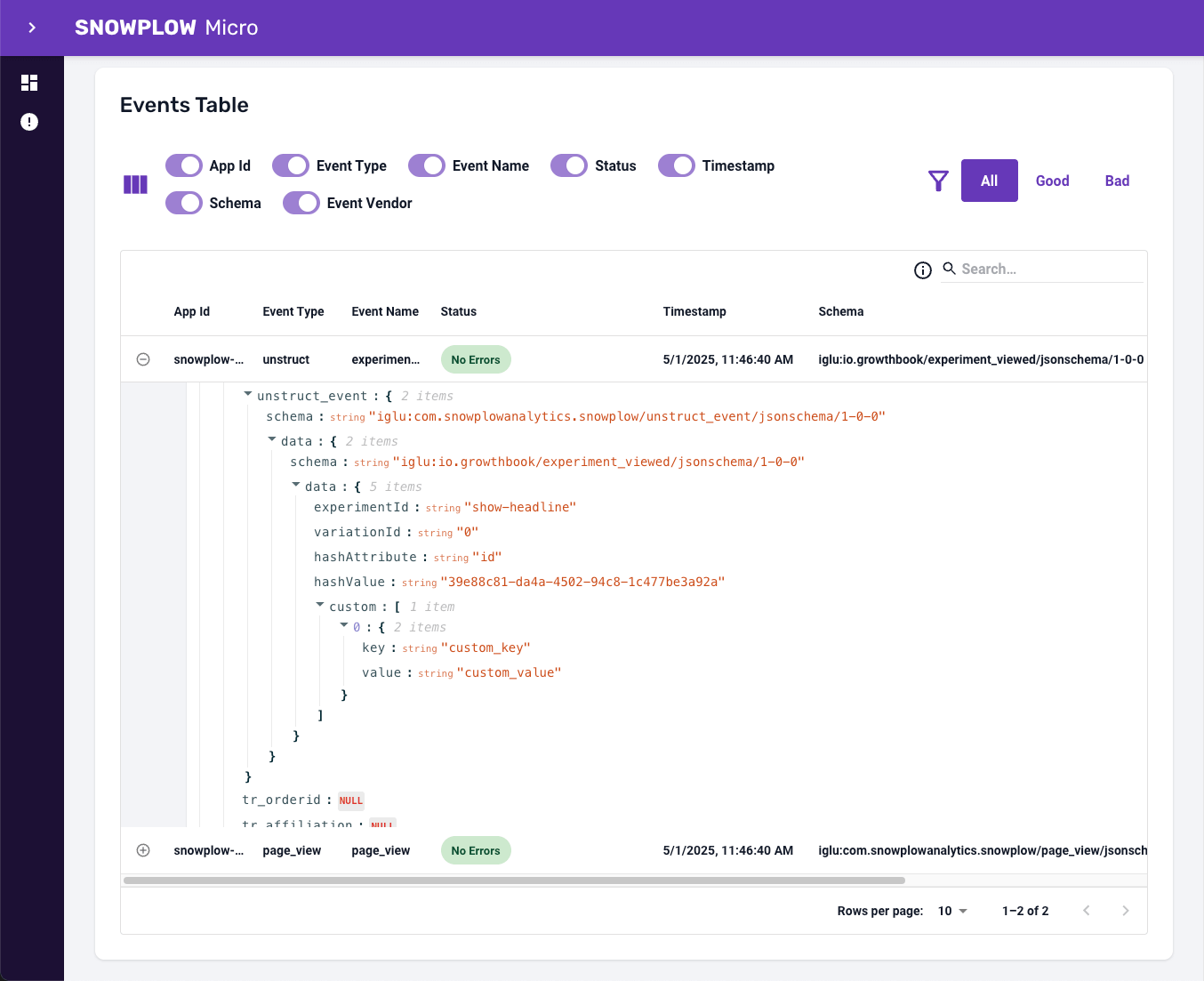
- Run your app with GrowthBook and Snowplow configured. When an experiment is triggered, the exposure event will be sent to Snowplow Micro.
- Open the Snowplow Micro UI in your browser:
- Look for the
experiment_viewedevent to confirm the integration is working.