

Viewing Stale Flags
Stale flags are surfaced in the main feature flag table. Look for the Stale column, which indicates whether a flag has been marked stale.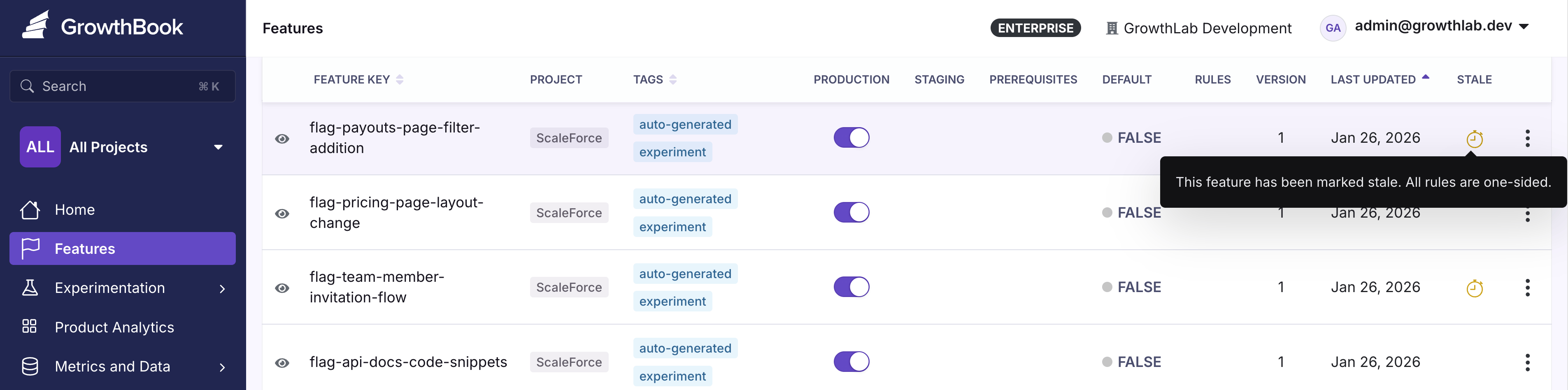
How GrowthBook Determines Stale Status
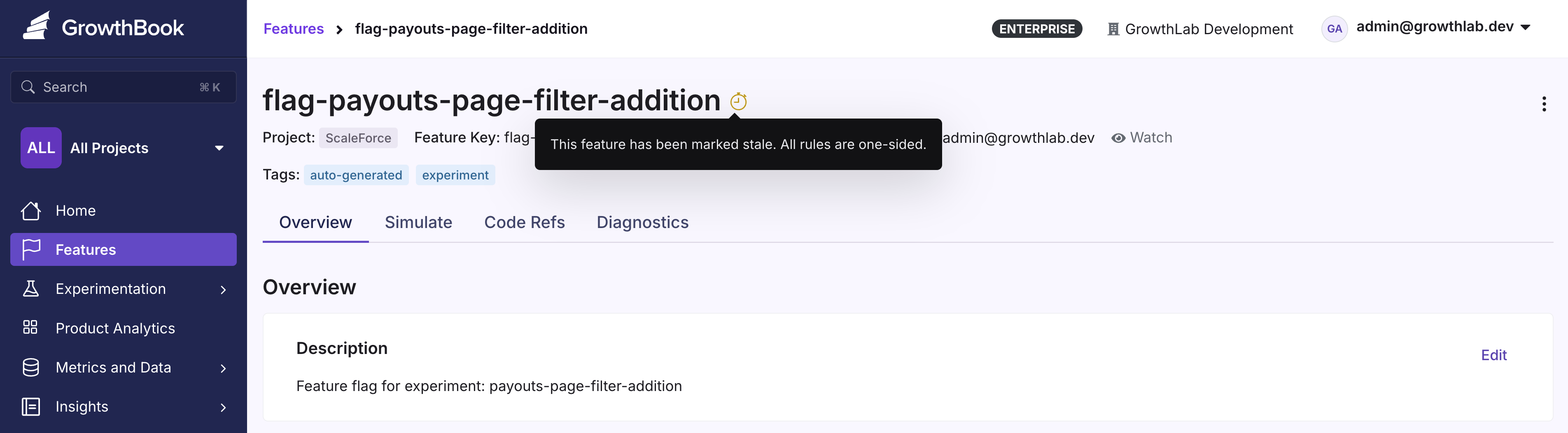
Hover over the warning icon next to a stale flag to see the specific reason it was flagged. A flag is considered stale if it hasn’t been updated in two weeks and meets at least one of these criteria:- No active environments (the flag is disabled everywhere)
- One-sided rules that send 100% of traffic to a single variation