> ## Documentation Index
> Fetch the complete documentation index at: https://docs2.growthbook.io/llms.txt
> Use this file to discover all available pages before exploring further.
# Setting up Prestodb or Trino as a data source
> This document outlines the steps needed to add your Prestodb or Trino database to GrowthBook.
When you create a connection from GrowthBook to Prestodb or Trino, you there are a few connection options.
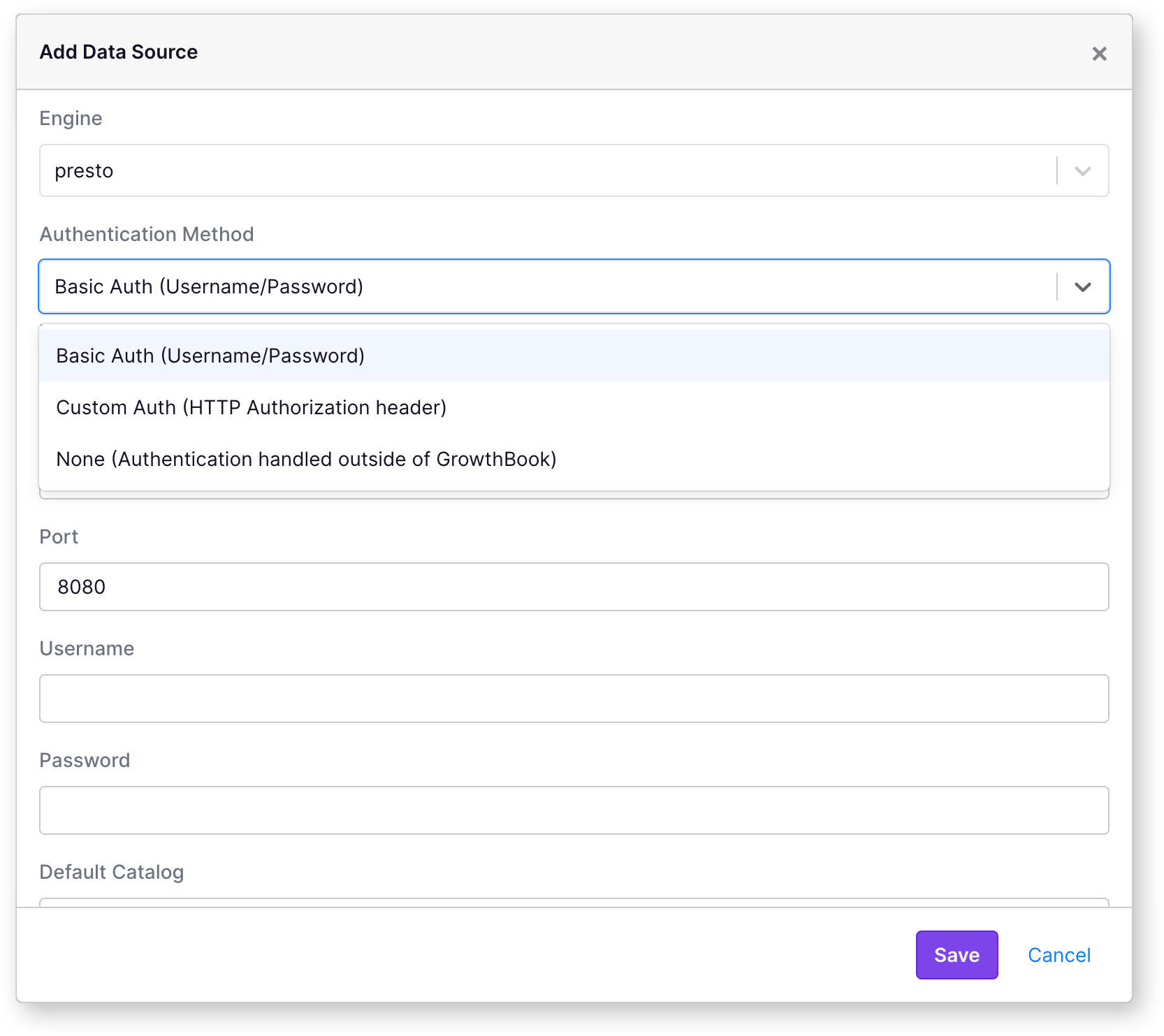 **GrowthBook uses the presto-client-node library to connect to Prestodb or Trino.**
Find more information about the library [here](https://www.npmjs.com/package/presto-client).
## Engine
This option lets you tell the client that your data source is `presto` or `trino`. For `trino` data sources, the connection
library adds additional compatibility information to work correctly with `trino` data sources. The default is `presto`.
## Authentication Options
### Basic Auth
If your Prestodb or Trino instance is configured with basic auth, you can provide the username and password in the connection
settings.
### Custom Auth
For custom authentication, GrowthBook will connect to your Prestodb or Trino instance using the provided HTTP Authorization
header with the provided string.
### None
If your Prestodb or Trino instance does not require authentication, or you are doing authentication based on IP or other
methods, you can select "None" in the connection settings. This is not recommended for Cloud instances of GrowthBook. In
these cases, the 'user' will be set to 'growthbook'.
## Host
The url to access your Prestodb or Trino instance. This should include the protocol (http or https).
## Port
Presto coordinator port. The default is 8080.
## Default Catalog and Schema
GrowthBook will create default queries using the catalog you provide here. If you update this value later, you
may have to update existing queries to use the new catalog.
## source
The source field is used to help identify where the connection to presto is coming from. By default, this is set to
'GrowthBook'.
**GrowthBook uses the presto-client-node library to connect to Prestodb or Trino.**
Find more information about the library [here](https://www.npmjs.com/package/presto-client).
## Engine
This option lets you tell the client that your data source is `presto` or `trino`. For `trino` data sources, the connection
library adds additional compatibility information to work correctly with `trino` data sources. The default is `presto`.
## Authentication Options
### Basic Auth
If your Prestodb or Trino instance is configured with basic auth, you can provide the username and password in the connection
settings.
### Custom Auth
For custom authentication, GrowthBook will connect to your Prestodb or Trino instance using the provided HTTP Authorization
header with the provided string.
### None
If your Prestodb or Trino instance does not require authentication, or you are doing authentication based on IP or other
methods, you can select "None" in the connection settings. This is not recommended for Cloud instances of GrowthBook. In
these cases, the 'user' will be set to 'growthbook'.
## Host
The url to access your Prestodb or Trino instance. This should include the protocol (http or https).
## Port
Presto coordinator port. The default is 8080.
## Default Catalog and Schema
GrowthBook will create default queries using the catalog you provide here. If you update this value later, you
may have to update existing queries to use the new catalog.
## source
The source field is used to help identify where the connection to presto is coming from. By default, this is set to
'GrowthBook'.