> ## Documentation Index
> Fetch the complete documentation index at: https://docs2.growthbook.io/llms.txt
> Use this file to discover all available pages before exploring further.
# Stale Feature Flag Detection
> Identify feature flags that are no longer actively used so you can clean them up.
Over time, some feature flags become "stale" — they're no longer actively used or relevant, but they remain in your system. Stale flags add clutter to your dashboard and make it harder to understand which flags actually matter. GrowthBook can automatically detect these flags so you can clean them up.
## Viewing Stale Flags
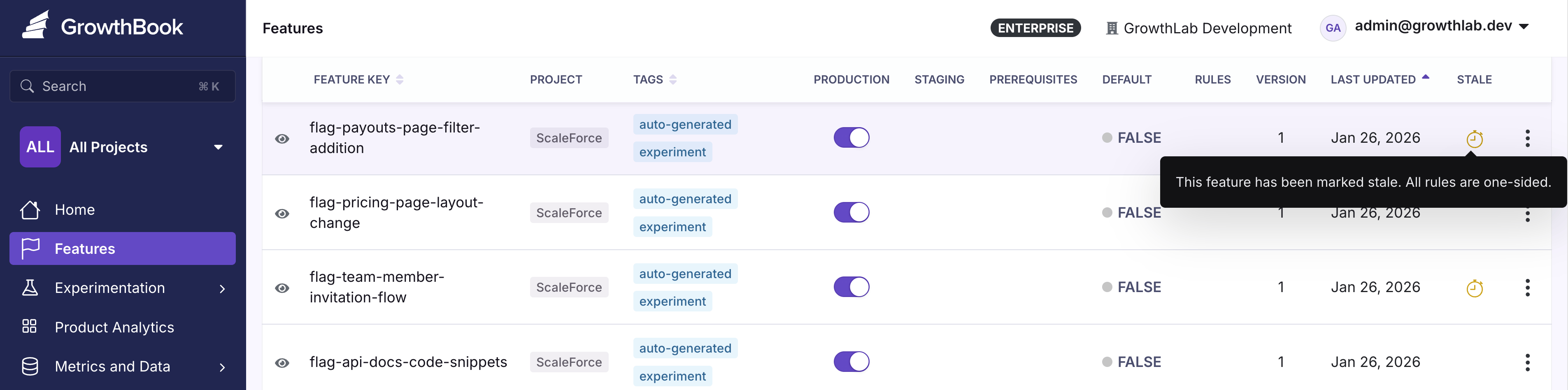
Stale flags are surfaced in the main feature flag table. Look for the **Stale** column, which indicates whether a flag has been marked stale.
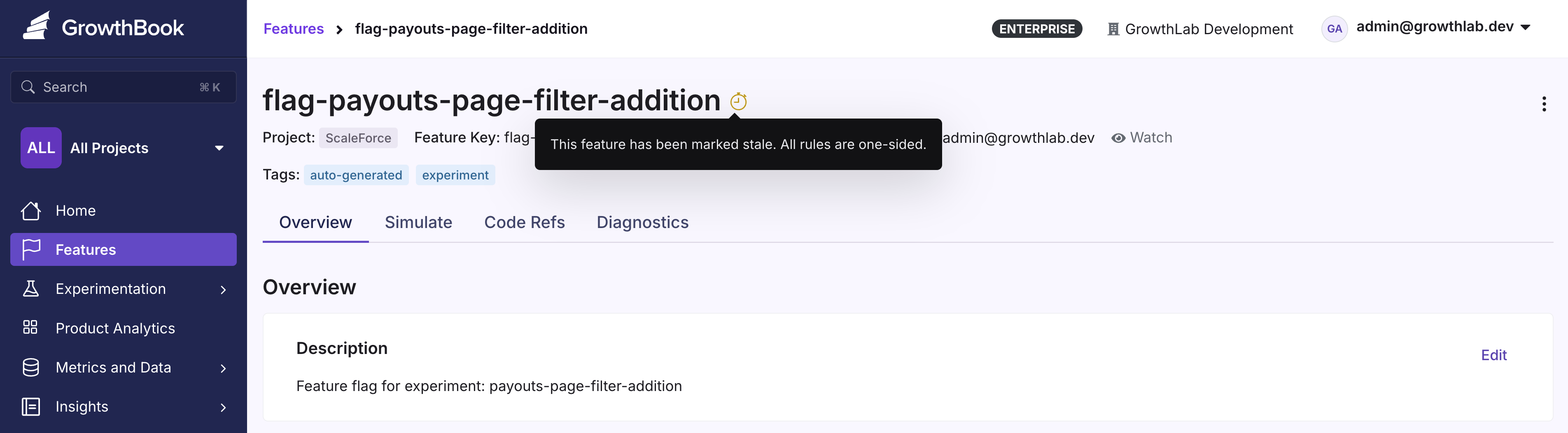
You can also see the stale indicator on individual feature pages, next to the feature name.
## How GrowthBook Determines Stale Status
Hover over the warning icon next to a stale flag to see the specific reason it was flagged.
A flag is considered stale if it hasn't been updated in two weeks **and** meets at least one of these criteria:
* No active environments (the flag is disabled everywhere)
* One-sided rules that send 100% of traffic to a single variation
## Toggling Stale Detection
You can disable stale detection for a specific flag from the feature details page or from the features table.
To re-enable stale detection, navigate to the menu in the top right of the feature details page.
Use [Code References](/features/code-references) alongside stale detection to see exactly where a stale flag is used in your codebase, making cleanup faster and safer.
 You can also see the stale indicator on individual feature pages, next to the feature name.
 ## How GrowthBook Determines Stale Status
Hover over the warning icon next to a stale flag to see the specific reason it was flagged.
A flag is considered stale if it hasn't been updated in two weeks **and** meets at least one of these criteria:
* No active environments (the flag is disabled everywhere)
* One-sided rules that send 100% of traffic to a single variation
## Toggling Stale Detection
You can disable stale detection for a specific flag from the feature details page or from the features table.
To re-enable stale detection, navigate to the menu in the top right of the feature details page.
## How GrowthBook Determines Stale Status
Hover over the warning icon next to a stale flag to see the specific reason it was flagged.
A flag is considered stale if it hasn't been updated in two weeks **and** meets at least one of these criteria:
* No active environments (the flag is disabled everywhere)
* One-sided rules that send 100% of traffic to a single variation
## Toggling Stale Detection
You can disable stale detection for a specific flag from the feature details page or from the features table.
To re-enable stale detection, navigate to the menu in the top right of the feature details page.