> ## Documentation Index
> Fetch the complete documentation index at: https://docs2.growthbook.io/llms.txt
> Use this file to discover all available pages before exploring further.
# Code References
> See where feature flags are used in your codebase by scanning with a CLI tool or GitHub Action.
# Code References
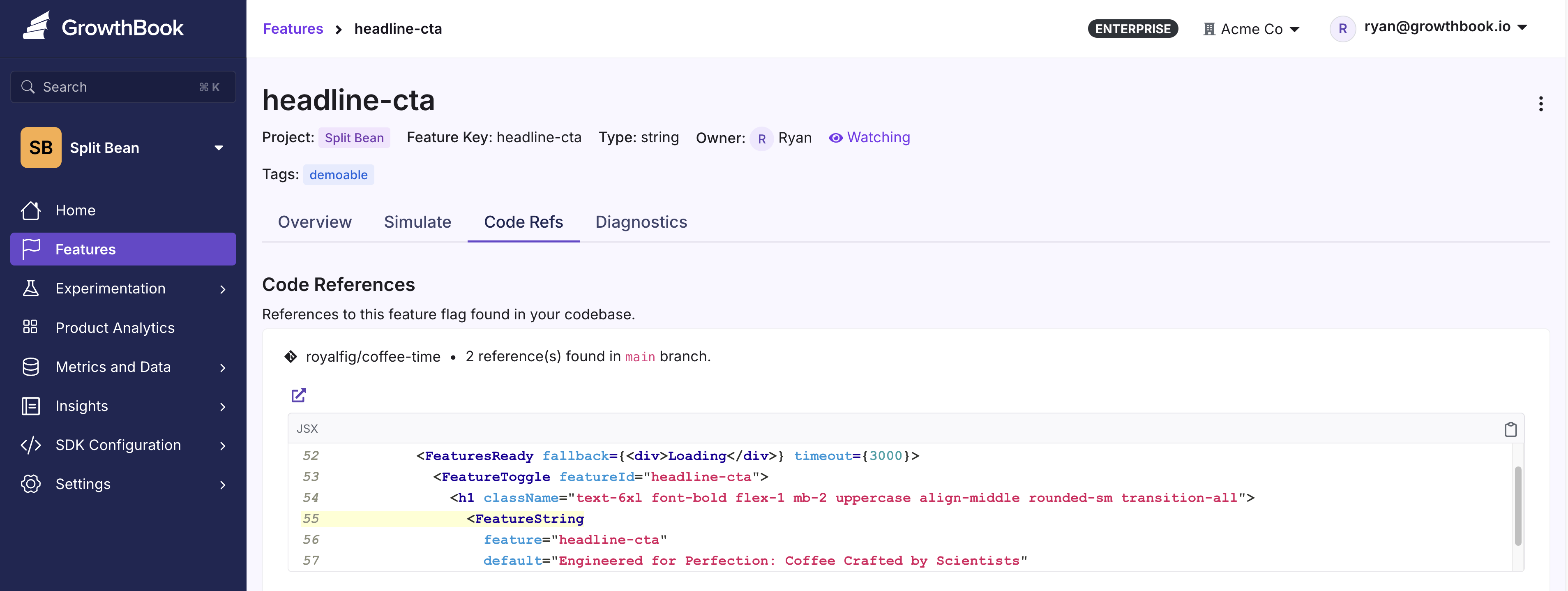
Code References lets you see exactly where feature flags are used in your codebase. A CLI tool scans your repository and sends the results to GrowthBook, which then surfaces this information on each feature's page. This helps you find the exact lines of code that reference a flag — useful when cleaning up stale flags or understanding a flag's scope.
 Code References also improves [Stale Feature Detection](/features/stale-detection) accuracy by providing concrete evidence of whether a flag is still referenced in code.
## Getting Started
For GitHub users, a streamlined GitHub Action integrates with code references:
* [GrowthBook Code References GitHub Action](https://github.com/marketplace/actions/growthbook-code-references)
For other platforms, use the CLI tool or Docker image:
* [GrowthBook gb-find-code-refs CLI utility](https://github.com/growthbook/gb-find-code-refs)
* [Dockerized version of gb-find-code-refs](https://hub.docker.com/r/growthbook/gb-find-code-refs)
## Enabling Code References in GrowthBook
To enable code references, navigate to your General Settings page and scroll to **Configure Code References**.
### Branch Filtering
Specify which branch names (comma-separated) to show code references for. By default, code references from all branches are displayed.
For example, if your team only needs references from `main` and `qa`, set this option to `main, qa`.
### Platform Links
GrowthBook can link directly to your codebase on GitHub or GitLab. Select your platform in the settings and code references will automatically include links to the relevant files and lines.
If your platform isn't supported, let us know in the [Slack community](https://slack.growthbook.io?ref=coderefs).
## Viewing Code References
Once enabled, you can view Code References on a specific feature page, under the Code Refs tab.
Code References also improves [Stale Feature Detection](/features/stale-detection) accuracy by providing concrete evidence of whether a flag is still referenced in code.
## Getting Started
For GitHub users, a streamlined GitHub Action integrates with code references:
* [GrowthBook Code References GitHub Action](https://github.com/marketplace/actions/growthbook-code-references)
For other platforms, use the CLI tool or Docker image:
* [GrowthBook gb-find-code-refs CLI utility](https://github.com/growthbook/gb-find-code-refs)
* [Dockerized version of gb-find-code-refs](https://hub.docker.com/r/growthbook/gb-find-code-refs)
## Enabling Code References in GrowthBook
To enable code references, navigate to your General Settings page and scroll to **Configure Code References**.
### Branch Filtering
Specify which branch names (comma-separated) to show code references for. By default, code references from all branches are displayed.
For example, if your team only needs references from `main` and `qa`, set this option to `main, qa`.
### Platform Links
GrowthBook can link directly to your codebase on GitHub or GitLab. Select your platform in the settings and code references will automatically include links to the relevant files and lines.
If your platform isn't supported, let us know in the [Slack community](https://slack.growthbook.io?ref=coderefs).
## Viewing Code References
Once enabled, you can view Code References on a specific feature page, under the Code Refs tab.