> ## Documentation Index
> Fetch the complete documentation index at: https://docs2.growthbook.io/llms.txt
> Use this file to discover all available pages before exploring further.
# Setting Up Snowplow as an Event Tracker
> Learn how to integrate Snowplow with GrowthBook to track experiment exposure events using a custom Iglu schema, test with Snowplow Micro, and pass targeting attributes for consistent bucketing.
Snowplow is an advanced event tracking platform that gives you full control over your data. You can integrate it with GrowthBook to track experiment exposure events and other events.
## Prerequisites
Before you begin, ensure that you have a working Snowplow tracker running on your site. Follow the [Snowplow Web Tracker Quick Start Guide](https://docs.snowplow.io/docs/sources/trackers/javascript-trackers/web-tracker/quick-start-guide/) to get set up.
## Targeting attributes
Use Snowplow's `domain_user_id` as a [targeting attribute](/features/targeting) by pulling it from the Snowplow tracker and passing it to GrowthBook.
**Example:**
```js theme={null}
window.snowplow(function() {
growthbook.updateAttributes({
domain_user_id: this.sp.getDomainUserId(),
});
});
```
Alternatively, if you're accessing `sp` directly (e.g., when using the `npm` package):
```js theme={null}
const domainUserId = sp.getDomainUserId();
growthbook.updateAttributes({
domain_user_id: domainUserId,
});
```
## Tracking Experiment Exposure with Snowplow
To log when a user is exposed to an experiment, define a custom `trackingCallback` function in your GrowthBook SDK snippet. This sends a self-describing event to Snowplow.
**Example:**
```js theme={null}
// In your GrowthBook SDK snippet...
trackingCallback: (experiment, result) => {
if (window.snowplow) {
window.snowplow("trackSelfDescribingEvent", {
event: {
schema: "iglu:io.growthbook/experiment_viewed/jsonschema/1-0-0",
data: {
experimentId: experiment.key,
variationId: result.key,
hashAttribute: result.hashAttribute,
hashValue: result.hashValue,
custom: [
{
key: "custom_key",
value: "custom_value",
},
],
},
},
});
}
};
```
Alternatively, if you're accessing `sp` directly (e.g., when using the `npm` package):
```js theme={null}
import { trackSelfDescribingEvent } from "@snowplow/browser-tracker";
// In your GrowthBook SDK snippet...
trackingCallback: (experiment, result) => {
trackSelfDescribingEvent({
event: {
schema: "iglu:io.growthbook/experiment_viewed/jsonschema/1-0-0",
data: {
experimentId: experiment.key,
variationId: result.key,
hashAttribute: result.hashAttribute,
hashValue: result.hashValue,
custom: [
{
key: "custom_key",
value: "custom_value",
},
],
},
},
});
};
```
### GrowthBook's Official Schema
GrowthBook provides an [official Iglu schema](https://iglucentral.com/schemas/io.growthbook/experiment_viewed/jsonschema/1-0-0) for experiment exposure events:
Schema URI:
```http theme={null}
iglu:io.growthbook/experiment_viewed/jsonschema/1-0-0
```
## Testing your Integration with Snowplow Micro
[Snowplow Micro](https://docs.snowplow.io/docs/data-product-studio/data-quality/snowplow-micro/basic-usage/) is a lightweight tool that lets you test and validate your event tracking locally.
**Steps:**
1. Start Snowplow Micro:
```bash theme={null}
docker run -p 9090:9090 snowplow/snowplow-micro
```
2. Point your Snowplow tracker to the local endpoint:
```js theme={null}
window.snowplow('newTracker', 'sp1', 'http://localhost:9090', {
appId: 'my-app-id'
})
```
or...
```js theme={null}
newTracker('sp1', 'http://localhost:9090', {
appId: 'my-app-id'
})
```
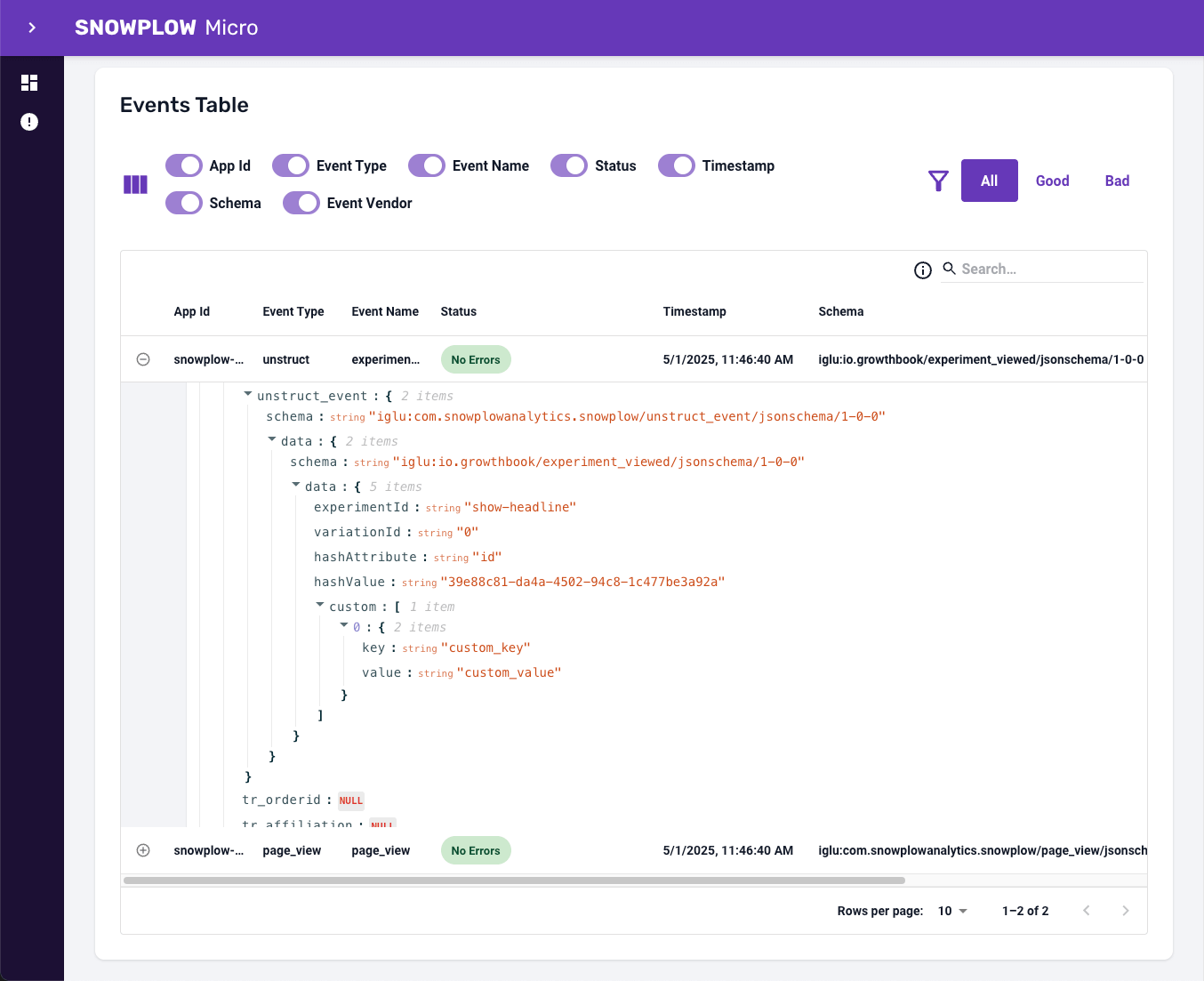
3. Run your app with GrowthBook and Snowplow configured. When an experiment is triggered, the exposure event will be sent to Snowplow Micro.
4. Open the Snowplow Micro UI in your browser:
```http theme={null}
http://localhost:9090/micro/ui
```
5. Look for the `experiment_viewed` event to confirm the integration is working.